Offline HQ
Where the HQ has no internet, the browser can still show the event map with the live positions of the Meshtastic radios. You store the map data in the browser while you are online; during the event, a Meshtastic radio on USB delivers the positions. Neither internet nor the OpenMeshTak server are needed then.
What you need
- a computer with a current Chrome or Edge on Windows or Linux; other browsers cannot talk to a radio over USB;
- a Meshtastic radio on the event's channels, connected by USB cable; and
- the permission to make published content available offline, plus read access to the Data Packages; see Users and permissions.
Prepare while online
- Open the active event and choose Offline HQ in its header.
- Select the published Data Packages and missions you need. Unpublished drafts cannot be stored.
- Choose Store for offline use and wait until everything is stored.
- Check Offline readiness. It confirms that the app, the event data and an offline background map are stored, that the browser will keep the data, and that it can connect a radio.
For a background map without internet, one of the stored packages must contain an offline map. Without one, drawings and positions appear on a blank background.
Before the event, test once without network: disconnect, open /offline on your OpenMeshTak address and open the event.
During the event
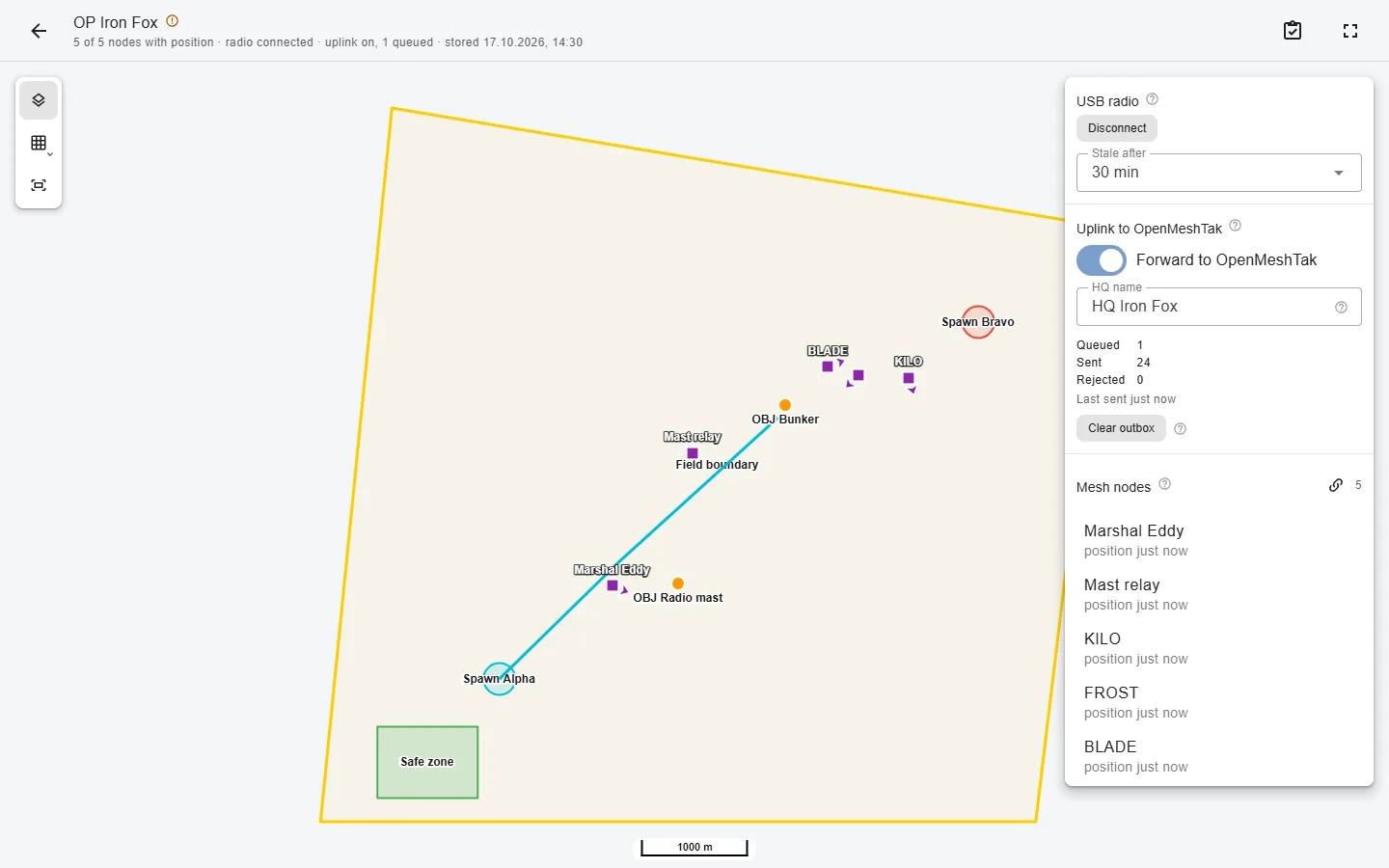
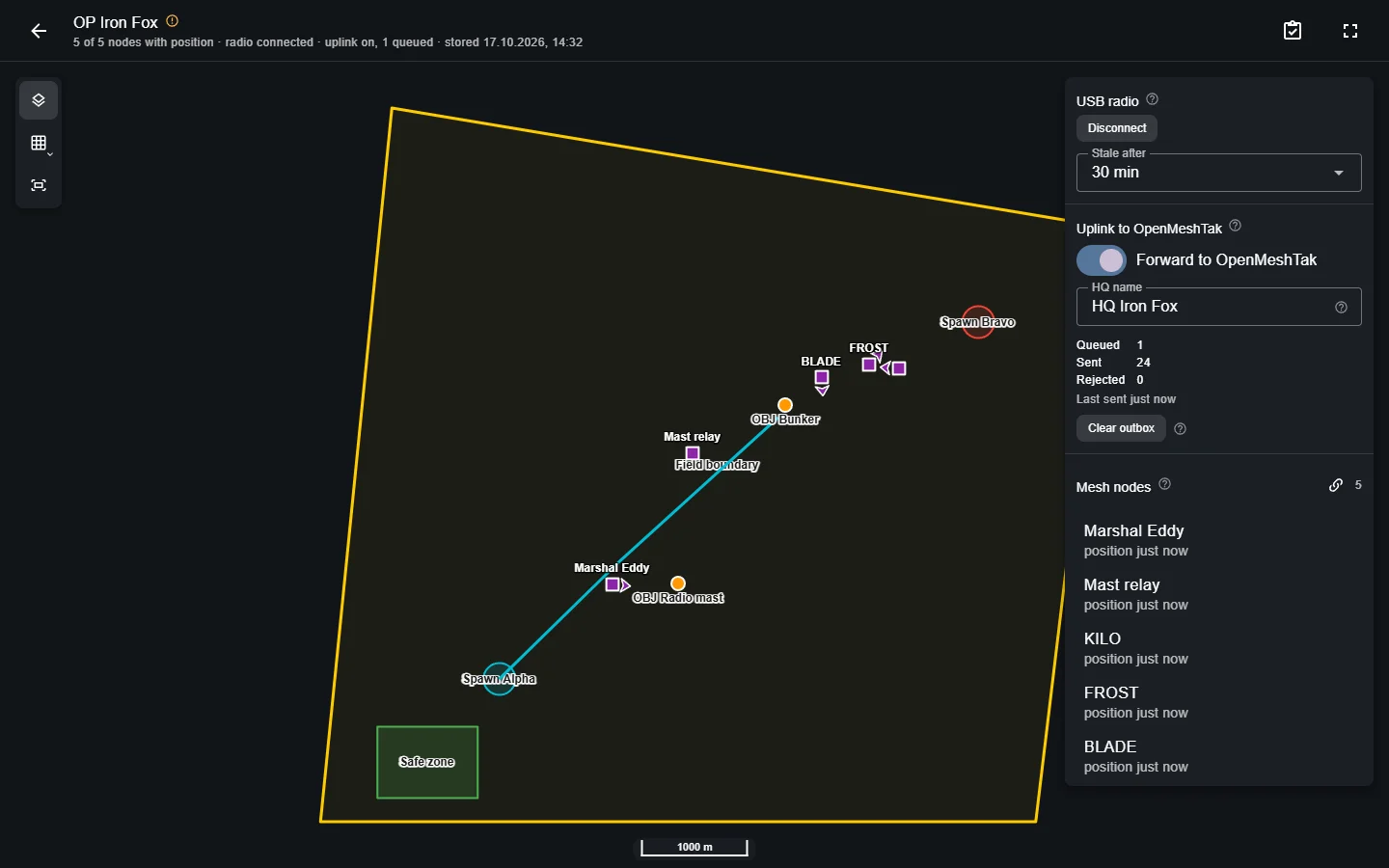
- Open /offline in the same browser and choose the event. No sign-in is needed.
- Choose Connect radio and allow the browser to use the USB port.
- Positions appear as the radio hears the other nodes, with their age. Nodes not heard from for a while are marked as stale. Full screen suits a wall screen.
The radio only listens; the offline HQ never sends anything over the mesh. Without forwarding, positions are not saved: after closing the page, the map starts empty again.
Forward to OpenMeshTak
If the HQ computer has internet, even only now and then, it can pass on what its radio hears. The event then gets a live view and a history of the radio positions, also when the participants themselves have no internet.
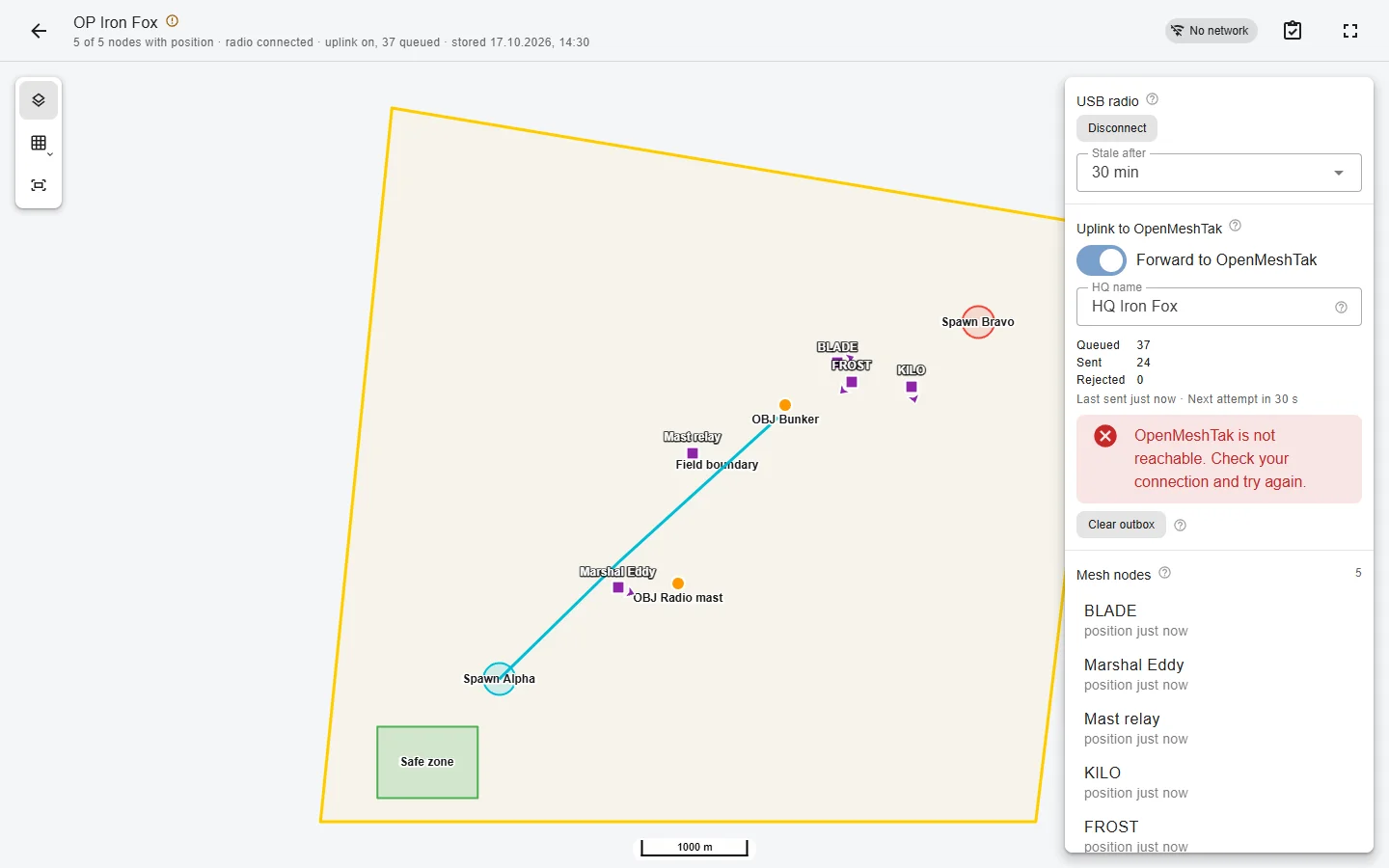
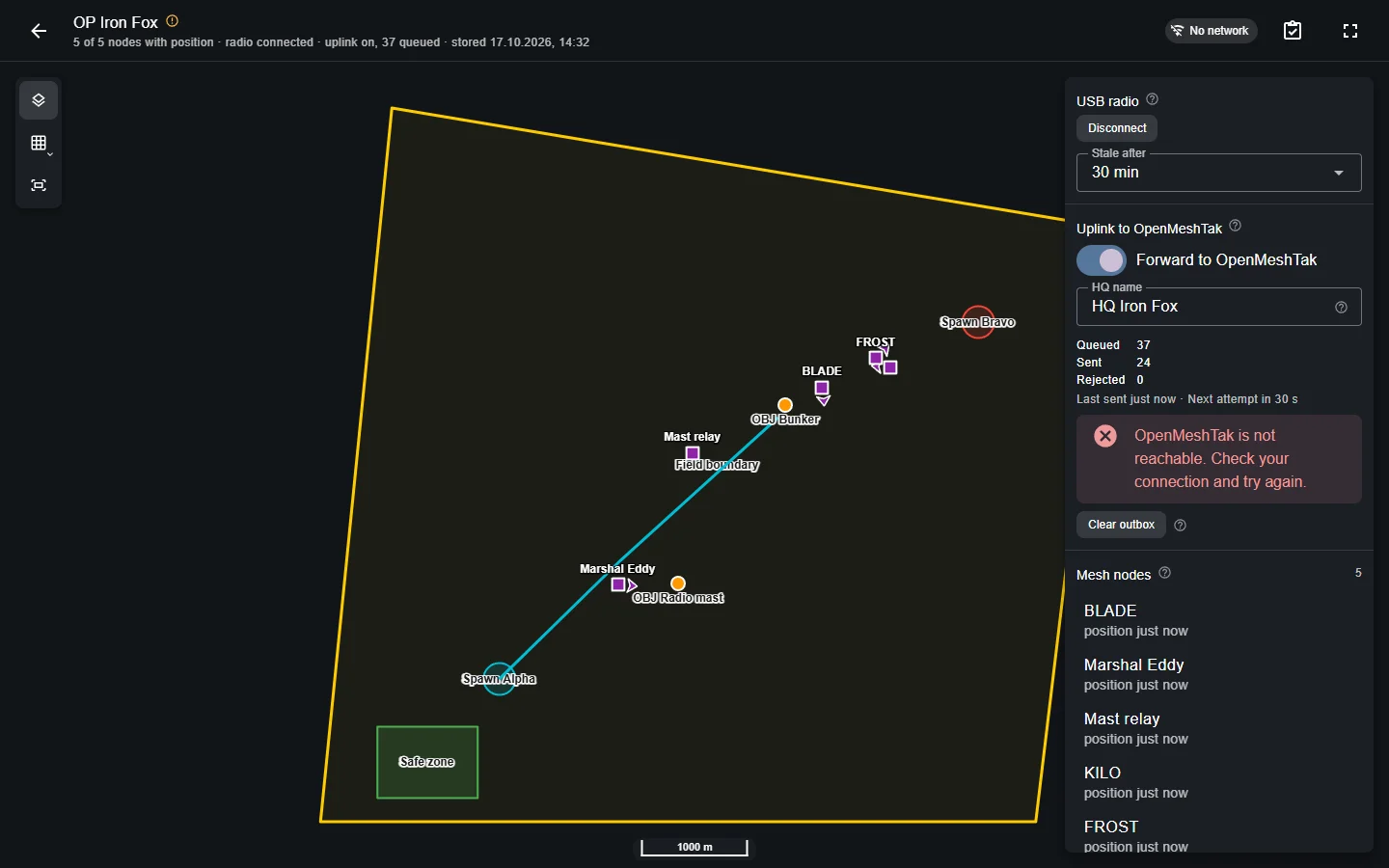
- Sign in on this computer while online. You need the permission Forward what an HQ radio hears to OpenMeshTak.
- Turn on Forward to OpenMeshTak and give the HQ a name, such as
HQ North. The name shows up next to the positions it forwarded. - Keep the page open while the radio is connected.
When the connection drops, the HQ keeps the positions in the browser and sends them in order once it is back; Queued shows how many are waiting. The browser keeps at most 72 hours or 50,000 positions per event. Clear outbox discards what has not been sent yet.
Several HQs may forward at the same time: a position heard by two radios is stored once. The history is only as complete as the radios' reception and the position interval of the nodes.
Radios are matched to members under Mesh nodes.
Afterwards
Choose Remove from this browser on the Offline HQ page. The stored data stays on this computer until you remove it: revoking someone's access later does not delete it. Only prepare events on computers you trust. Keys, certificates and member data are never stored.